How to Config#
Overview#
The tag_me app comes with sensible defaults, allowing you to start using
it right out of the box with minimal configuration. All settings are optional
and will use their default values if not specified in your settings.py.
Some settings can be configured both globally (using Django settings) and locally (using attributes in the form widget). In cases where both are defined, the widget attribute takes precedence over the global setting.
This allows for flexible configuration, enabling you to define default behavior globally while still allowing for customisation on a per-widget basis.
Configuration Options: Global/Local#
Setting (in |
Attribute (in widget) |
Notes |
|---|---|---|
|
|
Controls the maximum number of displayed tags |
|
|
Specifies the template for rendering the widget |
TagMeCharField Attributes#
from django.db import models
from django.utils.translation import pgettext_lazy as _
from tag_me.models import TagMeCharField

class MyModel(models.Model):

    class Visibility(models.TextChoices):
        """Issue Visibility choices."""

        PRIVATE = (
            "PRIVATE",
            _(
                "Visibility",
                "Private",
            ),
        )

        PUBLIC = (
            "PUBLIC",
            _(
                "Visibility",
                "Public",
            ),
        )

    tags:list = ['tag1', 'tag1']

    tagged_field_1=TagMeCharField(
        max_length=50,
        choices=Visibility.choices,
        default=Visibility.PRIVATE,
        system_tag=True,
        multiple=False,
        )

    synced_tagged_field_1=TagMeCharField(
        max_length=50,
        choices=tags,
        default='tag1',
        system_tag=True,
        display_number_selected=1,
        synchronise=True,
        )
choices#
model.TextChoices, optional Accepts a TextChoices object and converts to a tag-me list format.
list, optional Accepts a list object and converts to a tag-me list format.
Note
When using choices, you must also set system_tag=True to explicitly
mark the field as a system tag (predefined choices) rather than a user tag
(user-created). See how-to-FK-based-lookup-system for details.
system_tag#
bool, optional:
Whether this field uses predefined system tags (choices) rather than
user-created tags. Defaults to False.
Must be set to True when using choices with TagMeCharField.
multiple#
bool, optional:
Whether to allow multiple tags to be selected. Defaults to True.
display_number_selected#
int, optional:
The maximum number of selected tags to display. Defaults to the value of
the DJ_TAG_ME_MAX_NUMBER_DISPLAYED setting.
synchronise#
bool, optional: Default False, if you have other models with the same field name and you wish that they always have the same tags, set synchronise to True on both fields and happy days, they will always be in sync.
tagged_field#
Not yet implemented
str, optional:
The name of the field that will be tagged. Defaults to None.
template_name#
str, optional:
The name of the template to use for rendering the widget. Defaults to
the value of the default key in the DJ_TAG_ME_TEMPLATES setting.
Settings#
All settings are optional. Tag-me sets sensible defaults automatically
if you do not define them in your settings.py.
DJ_TAG_ME_TEMPLATES#
dict, optional:
A dictionary of templates used by the tag_me app. Defaults to:
{
    "default": "tag_me/tag_me_select.html",
}
DJ_TAG_ME_MAX_NUMBER_DISPLAYED#
int, optional:
The maximum number of selected tags to display in the widget. Defaults to 2.
Once the maximum is reached a more indicator will show in the widget.
DJ_TAG_ME_URLS#
dict, optional:
A dictionary of urls for tag help and management used by the tag_me app. Defaults to:
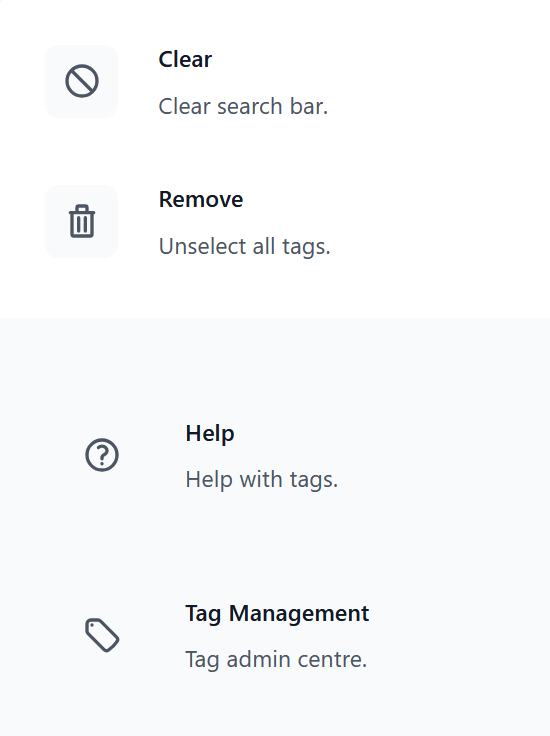
These urls will be used in the searchbar menu. If either/both are supplied they will appear at the bottom of the menu.
{
    "help_url": "",
    "mgmt_url": "",
}
Management Command#
Tag-me includes a management command for administration, diagnostics, and
data repair. It runs automatically after migrations via the post_migrate
signal — most users will never need to run it manually.
Quick Reference#
# Populate or update tags
python manage.py tag_me populate
python manage.py tag_me populate --user <USER_ID>

# Check data integrity
python manage.py tag_me check
python manage.py tag_me check --verbose

# Fix orphaned records from model renames
python manage.py tag_me fix-orphans --dry-run
python manage.py tag_me fix-orphans

# Clear ContentType cache
python manage.py tag_me clear-cache

# Built-in help
python manage.py tag_me help
python manage.py tag_me help fix-orphans
python manage.py tag_me help rename-workflow
python manage.py tag_me help troubleshooting
For detailed usage of each subcommand, run python manage.py tag_me help.
Tip
After renaming a model that uses TagMeCharField, run
python manage.py tag_me check to verify data integrity.
See python manage.py tag_me help rename-workflow for a
step-by-step guide.
Note
The old populate_tags command still works but is deprecated.
Use python manage.py tag_me populate instead.